
One take, no stitching
The cabin and the memory are one 15-second generation, so you don't join two clips in CapCut and the faces don't drift between them.
Two photos · one viral film
The zombie AI trend is the short film where someone you love comes back as a zombie, you raise a gun and can't pull the trigger, and the moment they leap at you it cuts to a sunlit memory of the two of you. Upload one photo of the survivor and one of the person or pet who turns, and this zombie AI video generator writes every shot and returns a 15-second widescreen video with sound.
Make my zombie AI trend video15 seconds · 16:9 · 720p · sound on
The story, shots and sound are written for you. Each run is a new take: the faces, the leap and the amount of zombie makeup change a little every time.
Example above: a zombie AI trend film from another generator. Yours uses your two photos and comes out 16:9 with sound.
Eight films from the ai zombie video trend as it spread across TikTok and Reels: couples in a cabin, a dog that leaps, a cat in an abandoned mall, a sunflower-field reunion. Tap any film to play it with sound. They were made by other generators and are shown here so you can see the format before you make your own zombie AI trend video.
Examples come from public trend generators and are not outputs of this site.
Three steps, no prompt, no editing app. The whole zombie AI trend story is already written into the generator.
Photo 1 is the survivor holding the gun. Photo 2 is the one who turns: your partner, friend or parent — or switch to pet mode for a dog or cat. One clear, front-facing face per photo.
Seedance 2.0 Mini is the cheapest and is selected first; Seedance 2.5 gives the most faithful faces. The price of one 15-second zombie AI trend video is shown under the button before you start.
Most zombie AI trend videos take a few minutes. You can leave the page: the finished MP4 waits in My Generations, ready to post to TikTok, Reels or Shorts.
Every zombie AI video from this page follows the same nine-shot script in two halves: a cold cabin and a warm wheat field, joined by one leap.
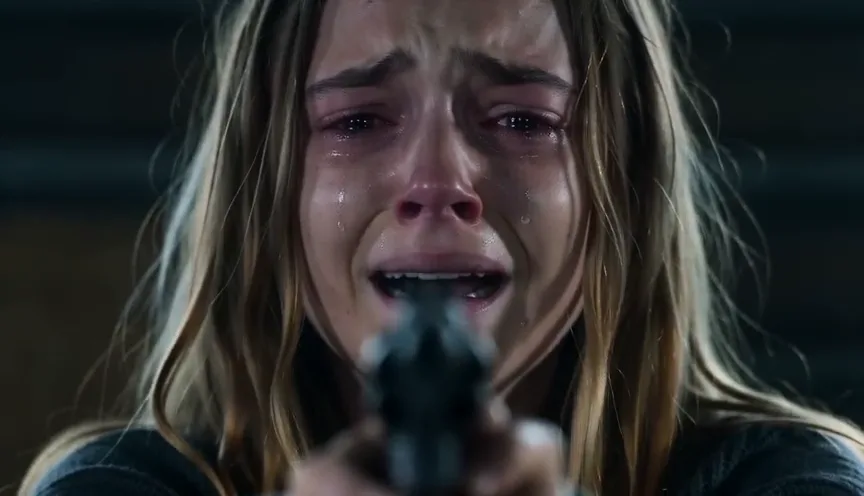
A tearful close-up behind a trembling handgun, then the zombie shuffling across the cabin floor.
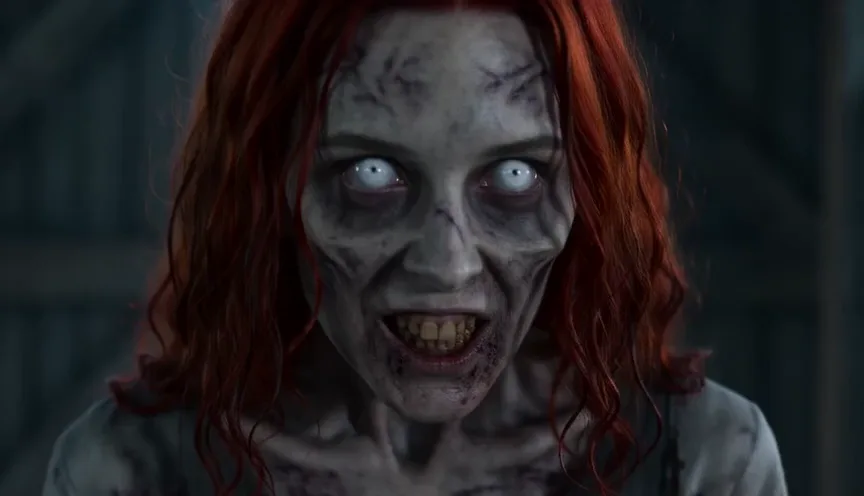
The zombie's face up close: grey skin, clouded eyes, still clearly them. The survivor squeezes their eyes shut.
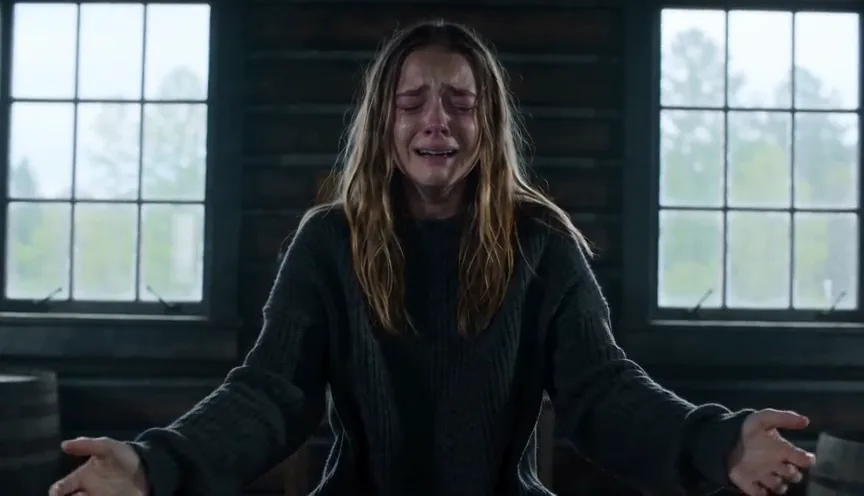
The gun drops to the floor, arms open wide, and the zombie runs and leaps.
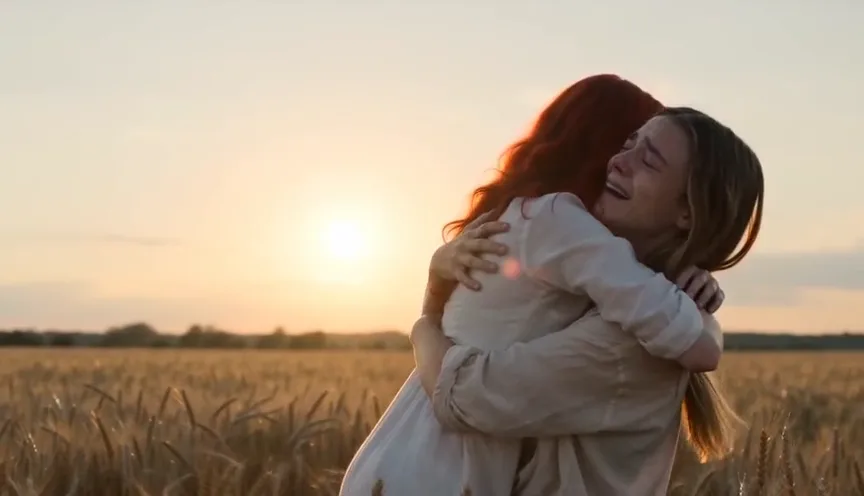
Mid-air, the cabin becomes a golden wheat field. They land in the survivor's arms, alive and laughing, and the film ends on a close-up in the sun.
No shot is fired, and there is no blood or biting — the ai zombie story is about the person who can't do it. Stills from the example film above.
You bring two photos. Everything else in the zombie AI trend film is fixed, so every take tells the same story.
The cabin and the memory are one 15-second generation, so you don't join two clips in CapCut and the faces don't drift between them.
The script describes the same face infected and drained of colour instead of a rotting corpse, so the moment of recognition still works.
Photo 1 keeps clean skin in every shot of the zombie AI trend film; only tears.
The gun is never fired, there's no gore, and the soundtrack has no lyrics or dialogue.
There are three ways to make the zombie AI trend. The prompt route gives you full control; a one-click ai zombie generator saves the editing.
| Prompt + CapCut | One-model trend sites | This page | |
|---|---|---|---|
| What you do | Write two prompts, generate two clips, line up the hug in an editor | Upload photos | Upload two photos |
| Time | 30–90 minutes | About 4–10 minutes | A few minutes |
| Models | Whatever your app runs | One model per site | Five models, priced side by side |
| Length and frame | You decide | 12–24 seconds, mostly 9:16 | 15 seconds, 16:9, sound |
| Price | Your app's credits for two runs | Often about $9.99 per video (checked October 2026) | From 11 credits (about $0.41) |
Looking for a zombie face on a single photo, or a generic zombie apocalypse ai video? Those are filters and scene generators. This ai zombie maker makes the two-person trend film.
One zombie AI trend video is always 15 seconds. The price depends only on the model and resolution, and it's shown before you generate.
| Model | 480p | 720p | 1080p | Pick it for |
|---|---|---|---|---|
| Seedance 2.0 Mini | Costs 11 credits | Costs 24 credits | — | The cheapest take; good for a first try. |
| Seedance 2.0 Fast | Costs 41 credits | Costs 87 credits | — | Steadier motion in the leap. |
| Seedance 2.0 | Costs 67 credits | Costs 144 credits | Costs 358 credits | Sharper detail, up to 1080p. |
| Seedance 2.5 | Costs 97 credits | Costs 218 credits | Costs 389 credits | The most faithful faces and the cleanest match cut. |
| MiniMax H3 | — | Costs 58 credits | Costs 93 credits | A balanced alternative look, up to 1080p. |
A zombie AI trend video costs 11 to 389 credits, depending on the model and resolution. The exact price is shown before you press Generate. New accounts get 3 credits to try it. Signup credits expire after 7 days.
For scale: the default video (Seedance 2.0 Mini, 720p) is 24 credits, about $0.89 at the cheapest monthly-plan credit price.
Plans and one-time packs share the same credits across every generator on the site.
Starter
For trying the trend
240 credits / month
≈ 10 ten-second Seedance 2.0 Mini videos
Pro
PopularFor regular creators
780 credits / month
≈ 32 ten-second Seedance 2.0 Mini videos
Enterprise
For agencies and pages
2,650 credits / month
≈ 110 ten-second Seedance 2.0 Mini videos
The photos decide whether people recognise who turned. A minute choosing them saves a second run.
Photos need a short side of at least 300 pixels. They are stored privately and used only for your zombie AI trend video.
Anyone can hold the gun, and almost anyone can be the one who turns.
Choose pet mode, put the dog or cat in Photo 2, show the whole face with the eyes visible, and keep one animal per photo. Photo 1 must still be a person, because someone has to hold the gun.
The zombie AI trend (also called the AI zombie trend or the zombie love story) is a short AI film: the world has fallen, someone you love walks toward you as a zombie, and you can't shoot. You lower the gun and open your arms, and as they reach you the scene cuts to a bright memory of the two of you before it all happened.
A viral short film where a loved one appears as a zombie, the survivor can't pull the trigger, lowers the gun and opens their arms, and the leap cuts to a happy memory of the two of them. On this page the zombie AI trend is made from two photos as a 15-second 16:9 video with sound.
There isn't one official app or filter. Most clips are made with AI video models such as Seedance, Kling or MiniMax plus a long prompt, and many creators join two clips in CapCut. Here you pick one of five models and upload two photos; the zombie AI trend script is already written.
This page doesn't ask for one. The nine-shot zombie AI trend script, the zombie look and the sound are fixed on our side, so you only choose the photos, model and resolution. If you write your own elsewhere, keep three rules: the same two photos in the same order, a non-graphic zombie that keeps the face, and a match cut on the same movement.
A zombie AI trend video costs 11 to 389 credits, depending on the model and resolution. The exact price is shown before you press Generate. New accounts get 3 credits to try it. Signup credits expire after 7 days. Videos made before your first purchase carry a small moving watermark; any purchase unlocks the clean original, including videos you already made.
Yes. Switch to pet mode and put your dog or cat in Photo 2; Photo 1 must be a person. Use one animal with its face and markings clearly visible — the pet keeps its breed and coat colour in both halves of the zombie AI trend film.
The zombie look changes skin and eyes, so the model leans on face shape, hair and clothes. Use a sharp, front-facing photo with the shoulders visible and no sunglasses, then try again or pick Seedance 2.5 for the most faithful faces.
Video services sometimes refuse dark themes or faces they can't verify. Our script never fires the gun and has no gore, but a refusal can still happen; when it does, the credits come back automatically and a different photo usually works.
Yes. The model generates the sound with the picture: wind and breathing in the cabin, then a soft piano swell in the wheat field. There's no dialogue or song with lyrics. To use the trend's TikTok sound, add it in TikTok after uploading.
Not on this page. Every video is widescreen 16:9 so both people and the leap stay in frame. Post it as it is, or crop it in your editor.
Usually a few minutes; Seedance 2.5 can take longer because it checks both photos first. You can close the page and find the video in My Generations.
It's the full zombie AI trend film, not a one-photo zombie filter or ai zombie effect. It needs two photos because the story is about two people.
Only with their permission. Use your own photos, photos of people who agreed, or your own pet. Don't upload strangers, celebrities or other people's children.
Two photos, from 24 credits with the default model, and a few minutes of waiting. Would you pull the trigger?
Make my zombie AI trend video